Neuer AirTag („AirTag 2“): Was wirklich neu ist, was Marketing ist und wer upgraden sollte
Der neue AirTag von Apple ist ein ungewöhnlich praktisches Update: gleicher Preis, gleiche Form, aber leichter zu finden in den Momenten, die zählen – zu Hause, unterwegs und (zunehmend) bei der Gepäcksuche von Fluggesellschaften.
Begriffserklärung: Apple nennt es den „neuen AirTag“; viele Leser sagen „AirTag 2“.
Warum jetzt: Die Schlagzeile ist nicht nur mehr Reichweite – Apple versucht, das Teilen von AirTag-Standorten in echten Wiederfindungsprozessen nutzbar zu machen (insbesondere bei Fluggepäck), nicht nur auf dem eigenen Bildschirm.
Wichtigste Erkenntnisse
Kurzfassung: Der neue AirTag verbessert die alltägliche „Auffindbarkeit“ mit längerer Präzisionssuche-Reichweite, einem lauteren Lautsprecher und erweiterter Ortungsreichweite durch aktualisiertes Bluetooth. Das Highlight ist Standort teilen – entwickelt für Abläufe bei der Gepäcksuche von Fluggesellschaften.
- Präzisionssuche funktioniert bis zu 50 % weiter (laut Apple) dank des Zweitgenerations-Ultra-Wideband-Chips.
- Der Lautsprecher ist 50 % lauter und kann bis zu 2× weiter gehört werden (laut Apple), mit einem neuen Klingelton.
- Apple sagt, ein verbesserter Bluetooth-Chip erweitert die Reichweite, in der Gegenstände gefunden werden können (keine genaue Distanzangabe).
- Präzisionssuche funktioniert jetzt auf der Apple Watch (Series 9+ oder Ultra 2+), erfordert watchOS 26.2.1.
- Standort teilen ist die größte praktische Neuerung: Apple sagt, dass über 50 Fluggesellschaften sicher einen Link akzeptieren können, um verspätetes Gepäck zu finden.
- Datenschutz bleibt zentral: Ende-zu-Ende-Verschlüsselung, keine Standortverlauf auf dem Gerät und plattformübergreifende Warnungen vor unerwünschtem Tracking.
Was Apple ankündigte (ohne Schnickschnack, nur Fakten)
Apples Newsroom-Beitrag vom 26. Januar 2026 kündigt den „neuen AirTag“ mit drei Kernverbesserungen an: ein leistungsstärkeres Präzisionssuche-Erlebnis, eine längere Bluetooth-Reichweite und einen lauteren Lautsprecher – bei gleichbleibendem Formfaktor und Preis. Apple Newsroom Quelle .
- Präzisionssuche: angetrieben von Apples Zweitgenerations-Ultra-Wideband-Chip, der Sie zu Gegenständen bis zu 50 % weiter entfernt als bei der vorherigen Generation führt.
- Bluetooth: ein verbesserter Bluetooth-Chip, der „die Reichweite erweitert, in der Gegenstände gefunden werden können.“ Apple veröffentlicht keine genaue Distanzangabe in der Mitteilung.
- Lautsprecher: neues internes Design, das 50 % lauter ist, aus bis zu doppelt so großer Entfernung hörbar, plus ein „markanter neuer Klang“.
- Apple Watch: Precision Finding-Unterstützung auf Apple Watch Series 9+ und Ultra 2+ (erfordert watchOS 26.2.1).
- Preis und Verfügbarkeit (USA): 29 $ (einzeln) und 99 $ (4er-Pack). Ab „heute“ auf Apple.com und in der Apple Store-App bestellbar, und „später diese Woche“ in Apple Stores erhältlich.
- Anforderungen: iPhone mit iOS 26+ oder iPad mit iPadOS 26+ sowie ein Apple-Konto, das bei iCloud angemeldet ist.
- Zubehörkompatibilität: Apple sagt, es ist mit allen bestehenden AirTag-Zubehörteilen kompatibel.
Fußnote: Precision Finding ist nicht überall verfügbar – Ultra Wideband ist in einigen Ländern/Regionen eingeschränkt.
Kurzer Vergleich: neuer AirTag vs. AirTag (2021)
| Funktion | Neuer AirTag (2026) | AirTag (2021) |
|---|---|---|
| Precision Finding-Angabe | Bis zu 50 % weiter (Apple-Angabe) | Precision Finding vorhanden, aber keine Angabe „50 % weiter“ |
| Lautsprecher | 50 % lauter; hörbar bis zu doppelt so weit (Apple-Angabe) | Standardlautsprecher (keine Angabe „50 % lauter“) |
| Bluetooth-Suchreichweite | Verbesserter Bluetooth-Chip; erweiterte Reichweite (keine genaue Zahl angegeben) | Keine neue Reichweitenangabe in dieser Ankündigung |
| Standort teilen (Fluggesellschaften) | Unterstützt (Find My-Funktion) | Unterstützt (Find My-Funktion; nicht exklusiv für den neuen Tag) |
| Zubehör | Kompatibel mit bestehenden AirTag-Zubehörteilen (Apple-Angabe) | Bestehendes Ökosystem |
| Preis (USA) | 29 $ / 99 $ (Apple) | 29 $ / 99 $ (Apple) |
Die Verbesserungen, die du im Alltag wirklich spürst
Precision Finding mit „bis zu 50 % weiter“: wann du es bemerkst
Technische Daten sind leicht zu ignorieren – bis man zu spät dran ist.
In der Praxis sind „50 % weiter“ keine Prahlerei. Es bedeutet weniger Funklöcher, in denen man dem Gegenstand nahe ist, aber trotzdem noch die „Dreh dich im Kreis“-Routine macht. Die Hinweise, die du schon kennst – haptisches Feedback, Pfeile, Ton – setzen einfach früher ein und bleiben konstanter.
- Wohnung/Haus: Schlüssel unter Kissen oder in der Tasche finden, an die man nicht mehr gedacht hat.
- Parkhäuser: die Distanz schneller überwinden, bevor Precision Finding „einrastet“.
- Flughäfen: machen den letzten Abschnitt weniger zum Ratespiel – besonders wenn eine Tasche hinter einer Wand, Tür oder einem Förderband liegt.
Der lautere Lautsprecher ist wichtiger, als es klingt
Apple sagt, der neue AirTag ist 50% lauter und aus doppelter Entfernung hörbar. Es ist nicht spektakulär, aber es macht den Unterschied zwischen „er ist in diesem Raum“ und „ich kann ihn in 10 Sekunden genau lokalisieren“.
Realitätscheck: Lauter hilft bei verlorenen Gegenständen. Es verwandelt AirTag nicht magisch in ein Diebstahlschutzgerät, und die Klangleistung variiert, wenn der Tag unter Kleidung, in einem harten Koffer oder durch Lärm überdeckt ist.
Bluetooth-Reichweite: hilfreich, aber erwarten Sie keine Wunder
Apple sagt, ein verbesserter Bluetooth-Chip erweitert die Reichweite, in der Gegenstände gefunden werden können. Beachten Sie, was fehlt: eine Zahl und jegliches Versprechen einer GPS-ähnlichen Abdeckung.
- Bessere Erfassung im ganzen Haus oder Büro
- Weniger „näher herangehen“-Momente, bevor die Präzisionssuche nützlich wird
- Konstantere Aktualisierungen, wenn Sie in der Nähe sind – aber nicht direkt am Gegenstand
Und der größere Punkt: AirTag ist immer noch ein Produkt des Find My-Netzwerks. Es funktioniert am besten dort, wo viele Apple-Geräte in der Nähe sind (Städte, Flughäfen).
Mythos vs. Realität: „Mehr Reichweite“ bedeutet nicht „überall verfolgen“
- Mythos: Die neue Bluetooth-Reichweite bedeutet, dass AirTag wie ein GPS-Tracker funktioniert.
- Realität: AirTag ist am besten als „crowd-located“ zu verstehen (es nutzt nahegelegene Geräte im Find My-Netzwerk). Es ist am stärksten dort, wo das Find My-Netzwerk dicht ist (Städte, Flughäfen) und weniger zuverlässig in dünn besiedelten Gebieten.
Die größte Veränderung: Fluggesellschaften + Share Item Location
Wenn Sie AirTag bereits für Reisen verwendet haben, kennen Sie den unangenehmen Teil: Sie können oft sehen, wo Ihr Gepäck ist… und die Fluggesellschaft kann auf Ihren Screenshot nicht reagieren (oder will es nicht).
Apples Antwort ist Share Item Location: eine Funktion, mit der Sie einen zeitlich begrenzten Link aus Find My erstellen können, den autorisiertes Flugpersonal nutzen kann, um bei der Suche nach einem verspäteten Gepäckstück zu helfen. Apple sagt, es habe mit mehr als 50 Fluggesellschaften zusammengearbeitet, die diese Links „privat und sicher“ akzeptieren.
Apple zitiert auch eine Branchenangabe: SITA berichtet, dass Fluggesellschaften, die Share Item Location verwenden, Gepäckverspätungen um 26% und „wirklich verlorenes“ Gepäck um 90% reduziert haben. Betrachten Sie dies als eine Branchen-KPI, nicht als Garantie für Ihre nächste Reise. Quelle: SITA (18. Dez. 2025) .
So verwenden Sie „Standort des Gegenstands teilen“ (Schritt für Schritt)
Diese Funktion ist nicht exklusiv für den neuen AirTag – sie funktioniert auch mit dem ursprünglichen AirTag und anderen „Wo ist?“-kompatiblen Gegenständen.
- Öffnen Sie Wo ist? → Gegenstände → wählen Sie Ihren AirTag/Gepäckgegenstand aus
- Tippen Sie auf Standort des Gegenstands teilen → Link zum Teilen generieren
- Geben Sie den Link über den offiziellen Gepäck-Supportprozess der Fluggesellschaft weiter (wenn unterstützt)
Das Teilen endet, wenn:
- Sie sind wieder mit dem Gegenstand vereint
- Sie beenden das Teilen manuell
- Oder es läuft automatisch nach 7 Tagen ab
Grenzen und Fallstricke (was die Pressemitteilung nicht betont)
- Die Akzeptanz variiert. Einige Fluggesellschaften integrieren es tief, andere behandeln es als zusätzlichen Input zu einem manuellen Prozess.
- Es ist für die Wiederbeschaffung gebaut, nicht für dauerhaftes Teilen. Die 7-Tage-Ablaufzeit ist der entscheidende Punkt.
- Internationale Reisen können Precision Finding erschweren. UWB-Beschränkungen können die Richtungsfindung einschränken, auch wenn die grundlegende „Wo ist?“ Funktion weiterhin funktioniert.
Sollten Sie upgraden? Ein Entscheidungsleitfaden (ohne Hype)
AirTag-Upgrades sind nicht wie iPhone-Upgrades. Die meisten sollten dies als eine Austauschzyklus-Entscheidung betrachten – es sei denn, einer dieser Anwendungsfälle ist Ihr Alltag.
Jetzt upgraden, wenn Sie zu einer dieser Gruppen gehören
- Sie 2026 zum ersten Mal AirTags kaufen – gleicher Preis, bessere Hardware.
- Sie oft mit aufgegebenem Gepäck reisen und möchten, dass die Übergabe durch die Fluggesellschaft zu Ihren Gunsten funktioniert.
- Sie Gegenstände zu Hause verlegen und sich auf Ton + Precision Finding verlassen (der lautere Lautsprecher ist eine Lebensqualitätsverbesserung).
- Sie eine Apple Watch Series 9+ / Ultra 2+ besitzen und Precision Finding am Handgelenk wünschen.
Behalten Sie Ihren ursprünglichen AirTag, wenn…
- Ihr Hauptnutzen ist „ein Punkt auf der Karte“ und Sie nutzen Precision Finding selten.
- Sie haben bereits mehrere AirTags, die gut funktionieren, und spüren im Alltag keine Reibung.
- Sie planen nicht, bald auf iOS 26 umzusteigen (der neue AirTag benötigt iOS 26+).
Kurze Checkliste
- Nutze ich Precision Finding mehr als einmal im Monat?
- Überprüfe ich Taschen oft genug, um mich für die Abläufe der Fluggesellschaft zu interessieren?
- Verlasse ich mich häufig auf den Lautsprecher, weil mein AirTag „irgendwo im Haus“ ist?
- Bin ich auf iOS 26 (oder bereit, es zu sein)?
Faustregel: Wenn Sie zwei oder mehr Fragen mit „Ja“ beantwortet haben, lohnt sich das Upgrade wahrscheinlich. Wenn nicht, ist es vernünftig zu warten.
Datenschutz und Sicherheit: der Teil, über den Apple nicht aufhören kann zu sprechen (aus gutem Grund)
AirTag basiert auf einem Spannungsfeld: Er ist wirklich nützlich, kann aber auch missbraucht werden.
- AirTag speichert keine Standortverläufe auf dem Gerät, und die Kommunikation mit „Wo ist?“ ist Ende-zu-Ende verschlüsselt.
- Apple hebt Schutzmaßnahmen gegen unerwünschtes Tracking hervor, darunter plattformübergreifende Warnungen und häufig wechselnde Bluetooth-IDs.
Klar gesagt: Wenn jemand einen Tracker in deine Sachen schiebt, sind moderne Handys so konzipiert, dass sie dich warnen. Nicht perfekt, nicht sofort in jeder Situation – aber es gibt Schutzmechanismen, weil das Risiko real ist.
Zubehör, das den AirTag benutzerfreundlicher (und weniger nervig) macht
AirTag ist eine winzige Scheibe. Der Unterschied zwischen „Ich nutze ihn täglich“ und „Er liegt in einer Schublade“ ist oft das Zubehör.
Hinweis zur Offenlegung: Die unten genannten Empfehlungen verlinken zu Produkten von Geometric Goods (unserer Marke). Wenn du woanders einkaufst, nutze dieselben Kriterien.
Worauf man achten sollte
- Sichere Befestigung: Es sollte nicht herausfallen, klappern oder verrutschen – besonders im Gepäck.
- Geringes Volumen: Der Zweck ist, dass du vergisst, dass es da ist (Wallets sind der härteste Test).
- Batteriezugang: Zum Wechseln der Batterie sollte kein Zerlegen nötig sein.
- Schallweg: Wenn der Lautsprecher im Mittelpunkt steht, sollte er nicht komplett verdeckt sein.
Empfohlene Auswahl (Geometric Goods)
-
Leder-AirTag-Karten-Wallet – Der Minimalist 5.0
Am besten geeignet für: den täglichen Gebrauch, wenn du den AirTag komplett versteckt und mit minimalem Volumen möchtest. -
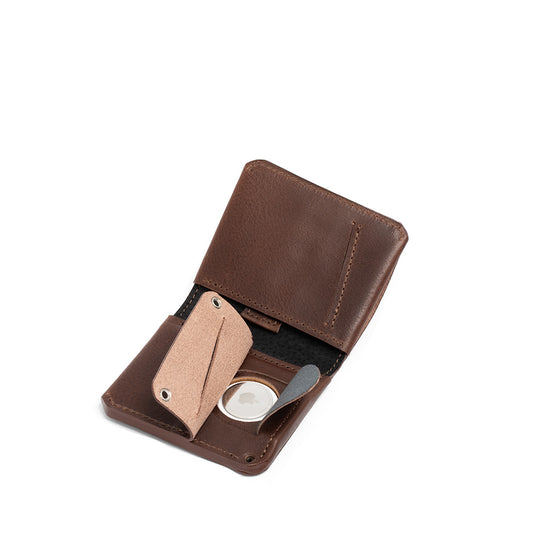
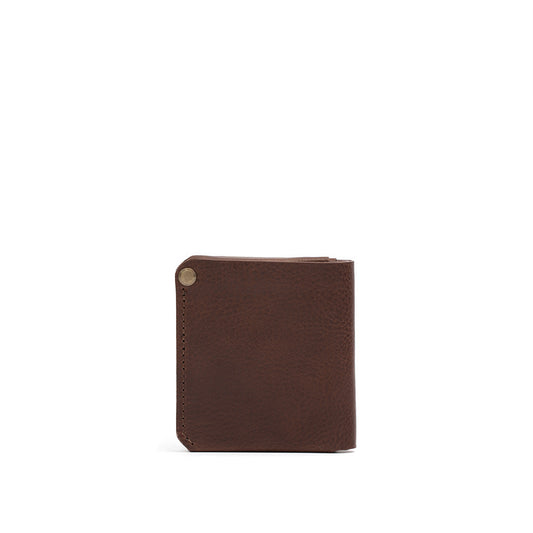
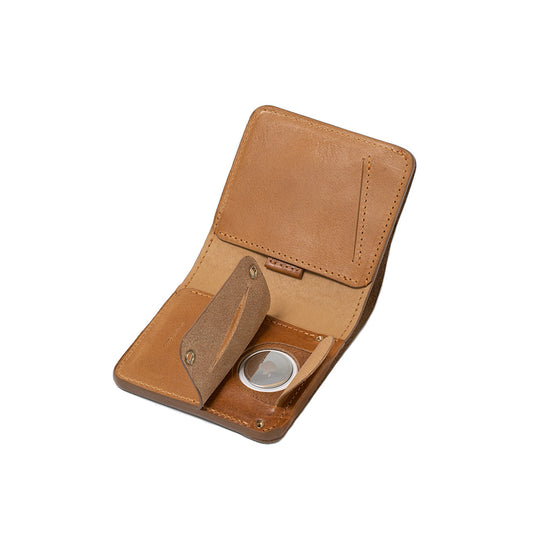
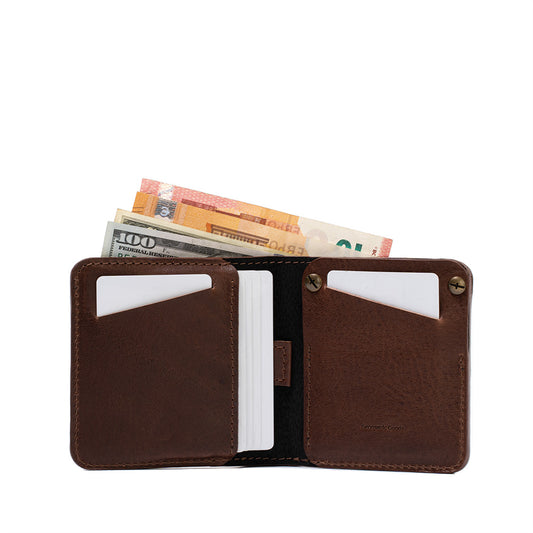
Leder-AirTag-Wallet 2.1 (Brieftasche)
Am besten geeignet für: klassisches Wallet-Gefühl mit integriertem AirTag-Schutz. -
Leder-AirTag-Passhalter 2.0
Am besten geeignet für: Reisetage mit Pass + Karten – wenn „darf nicht verloren gehen“ das Wichtigste ist. -
Leder-AirTag-Reisewallet 2.0
Am besten geeignet für: Reisen mit mehreren Dokumenten (Familienreisen, mehrere Pässe, Tickets, Karten). -
AirTag Schlüsselanhänger & Zubehör (Kollektion)
Am besten geeignet für: Schlüssel, Taschen und Gepäck – wenn du kein Wallet-Format möchtest.
FAQ (für Snippets geeignet)
Ist es wirklich der „AirTag 2“?
Apple nennt ihn den „neuen AirTag“. Viele Medien nennen ihn „AirTag 2“, weil es ein Update der zweiten Generation ist.
Was ist das größte Upgrade?
Für die meisten: Präzise Suche aus bis zu 50 % größerer Entfernung und ein Lautsprecher, der 50 % lauter ist (hörbar bis zu doppelt so weit), laut Apple.
Passen meine alten AirTag-Zubehörteile noch?
Apple sagt ja – die Bauform ist gleich und er ist mit allen bestehenden AirTag-Zubehörteilen kompatibel.
Brauche ich iOS 26?
Für den neuen AirTag ja – Apple nennt iOS 26+ / iPadOS 26+ als Voraussetzung.
Läuft die Funktion „Standort des geteilten Objekts“ ab?
Ja. Das Teilen endet, wenn ihr wieder zusammen seid, wenn du es beendest oder automatisch nach 7 Tagen.
Kann ich den Standort eines Gegenstands mit jeder Fluggesellschaft teilen?
Nicht unbedingt. Apple sagt, dass über 50 Fluggesellschaften die Funktion „Standort des Gegenstands teilen“ unterstützen, aber die Übergabe hängt vom Gepäckabwicklungsprozess Ihrer Fluggesellschaft ab. Wenn Sie fliegen, prüfen Sie den Ablauf für verspätetes Gepäck oder den Kundendienst Ihrer Fluggesellschaft und suchen Sie nach „Standort des Gegenstands teilen“ als Option. Apple Newsroom und SITA.
Funktioniert die Präzisionssuche überall?
Nicht unbedingt – UWB ist in einigen Regionen eingeschränkt, und Apple weist darauf hin, dass die Präzisionssuche dort nicht verfügbar ist, wo UWB eingeschränkt ist.
Funktioniert es mit Android?
In der Regel benötigen Sie ein iPhone/iPad, um AirTag einzurichten und zu verwalten. Die Android-Unterstützung beschränkt sich hauptsächlich auf die Erkennung und Warnung vor unerwünschtem Tracking. Apple Support.
Verwendet der neue AirTag dieselbe Batterie?
Apple hebt in der Pressemitteilung keine Batteriewechsel hervor. AirTag verwendet eine CR2032-Knopfzelle und hat eine Batterielaufzeit von über einem Jahr. AirTag technische Daten und Apple AirTag Seite.
Fazit
Der neue AirTag ist ein klassisches Apple-Upgrade: gleicher Preis, gleiche Form, bessere Erfahrung dort, wo es zählt. Der lautere Lautsprecher und die größere Reichweite bei der Präzisionssuche machen das „Finden Ihrer Sachen“ weniger zu einer Schatzsuche.
Die eigentliche Neuerung für 2026 ist die Funktion „Standort des Gegenstands teilen“. AirTag ist nicht mehr nur für Sie selbst – es wird zunehmend zu einem Werkzeug, das Kundendienstteams einsetzen können, besonders wenn auf Reisen etwas schiefgeht.
Wenn Sie bereits Find My nutzen, ist dies ein klarer Kauf. Wenn Ihre alten AirTags noch in Ordnung sind, ist es ein Upgrade, auf das Sie warten können – bis zu dem Tag, an dem Sie es nicht mehr können.