AirTag vs Tile: Welcher Bluetooth-Tracker gewinnt 2026 für Schlüssel, Geldbörsen und Taschen?
Kurze Zusammenfassung: Wenn Ihr häufigster „Verlust“-Moment in der Nähe passiert – zu Hause, im Auto oder im Büro – ist AirTag meist die bessere Wahl für iPhone-Nutzer, da Präzisionssuche und Tonwiedergabe die Nahbereichssuche deutlich beschleunigen können. Wenn Sie ein Trackersystem benötigen, das sowohl mit iPhone als auch Android funktioniert und in mehr speziell entwickelten Formen für Schlüssel, Geldbörsen, Fernbedienungen und Taschen erhältlich ist, ist Tile meist die flexiblere Wahl.

Zusammenfassung mit Antwort zuerst
AirTag ist die stärkere Nahbereichssuche-Option für iPhone-Nutzer.
Wenn Ihre Geldbörse unter einem Sofakissen liegt, Schlüssel in einer Autositzlücke stecken oder eine Tasche irgendwo im Büro versteckt ist, kann AirTags Präzisionssuche auf unterstützten iPhones plus Tonwiedergabe die Suchzeit drastisch verkürzen. Apple gibt außerdem an, dass der neuere AirTag eine erweiterte Präzisionssuche-Reichweite bietet.

Tile ist das flexiblere plattformübergreifende System.
Tile funktioniert mit iPhone und Android und bietet speziell entwickelte Formen für verschiedene Einsatzzwecke: Schlüssel-Finder für Schlüssel und Taschen, schlanke Karten-Tracker für Geldbörsen und Aufkleber-Tracker für kleinere Gegenstände und Ausrüstung.

Die Formfaktoren sind genauso wichtig wie die reinen Tracking-Funktionen.
AirTag ist hervorragend, wenn es auf schnelle Nahbereichssuche ankommt, aber Tile passt oft natürlicher zum Alltag, da verschiedene Tile-Modelle für unterschiedliche Gegenstandstypen entwickelt sind, statt nur eine runde Tracker-Form zu verwenden.
Die Netzwerkskalierung ist besonders wichtig, wenn sich ein Gegenstand weit entfernt befindet.
Apple Find My basiert auf einem sehr großen, crowdsourcingbasierten Netzwerk von Apple-Geräten und ist so konzipiert, dass Standortmeldungen anonym und verschlüsselt bleiben. Tile nutzt das Tile- und Life360-Ökosystem, das im Q4 2025 95,8 Millionen aktive Nutzer pro Monat meldete.
Abonnements werden unterschiedlich gehandhabt.
AirTag erfordert kein Abonnement. Die Kernfunktionen von Tile funktionieren ohne Abo, während kostenpflichtige Life360-Pläne Extras wie Smart Alerts und Standortverlauf bieten.
Die beste Wahl hängt von Ihrem Telefon und davon ab, wie Sie Dinge normalerweise verlieren.
Wenn Sie im Apple-Ökosystem leben und oft Gegenstände in der Nähe verlieren, ist AirTag meist die bessere Wahl. Wenn in Ihrem Haushalt iPhone- und Android-Geräte gemischt sind oder Sie Tracker in verschiedenen Formen für unterschiedliche Gegenstände möchten, ist Tile meist das vielseitigere System.
Schnelle Entscheidungsregeln
Wählen Sie AirTag, wenn…
-
- Sie verlegen häufig Gegenstände in der Nähe und möchten die schnellste Nahbereichssuche mit Richtung, Entfernung und Ton auf unterstützten iPhones.
- Sie bereits im Apple-Ökosystem sind und keine Android-Kompatibilität benötigen.
Wählen Sie Tile, wenn…
-
- Sie möchten Tracker-Unterstützung sowohl für iPhone als auch Android-Geräte, sei es für geteilte Haushalte oder geteilte Gegenstände.
- Sie möchten eine Tracker-Form, die für einen bestimmten Anwendungsfall entwickelt wurde: ein integriertes Schlüsselringloch für Schlüssel und Taschen, ein schlankes Kartenformat für Geldbörsen oder einen Aufkleber-Tracker für kleinere Ausrüstung.
- Sie schätzen Extras wie „Mein iPhone suchen“ und bei den 2024er Tile-Modellen die Möglichkeit, die Taste für einen diskreten SOS-Alarm über Life360 zu verwenden.
Sind Tiles besser als ein AirTag?
Das hängt davon ab, was Ihnen am wichtigsten ist.
Für schnelle Wiederfindung in der Nähe hat AirTag für iPhone-Nutzer meist die Nase vorn. Wenn etwas nah, aber versteckt ist, kann AirTags Präzisionssuche auf unterstützten iPhones Richtung und Entfernung anzeigen, und „Ton abspielen“ hilft, den genauen Ort zu bestätigen, sobald Sie in der Nähe sind.
Für plattformübergreifende Flexibilität und verschiedene Formen ist Tile meist die bessere Wahl. Tile ist so konzipiert, dass es sowohl auf iPhone als auch Android funktioniert und in Formen erhältlich ist, die besser zu verschiedenen Gegenständen passen, darunter Schlüsselanhänger-Modelle, schlanke Slim-Modelle für Geldbörsen und Aufkleber-Tracker. Tile kann klingeln, einen letzten Standort anzeigen und bei der Nahbereichssuche mit App-basierten Werkzeugen helfen, bietet aber nicht die gleiche Ultra-Wideband-basierte Richtungsführung wie AirTag.
Ökosystem & Kompatibilität
AirTag für Apple-Nutzer
AirTag erfordert ein Apple-Gerät und ein Apple-Konto für Einrichtung und Nutzung. Die Präzisionssuche ist nur auf unterstützten iPhone-Modellen verfügbar, und es gibt keine offizielle Android-Einrichtung oder vollständige Android-Tracking-Erfahrung.
Tile für iPhone und Android
Tile funktioniert über das Life360/Tile-Ökosystem und unterstützt sowohl iPhone als auch Android-Geräte. Diese plattformübergreifende Kompatibilität bleibt Tiles größter praktischer Vorteil für Haushalte mit gemischten Geräten, geteilte Gegenstände und Familien, die nicht auf ein reines Apple-Tracking-System angewiesen sein wollen.
Präzisionssuche & Ton (der „in der Nähe“-Unterschied, der zählt)
Die meisten Menschen verlieren Geldbörse/Schlüssel nicht in der Stadt. Sie verlieren sie in der Nähe:
- Zu Hause: unter Sofakissen, hinter Wäschekörben oder in einer Jackentasche.
- Im Auto: in einer Sitzlücke, der Mittelkonsole oder einer Kofferraumtasche.
- Im Büro: unter Papieren, in einer Tasche oder in einer Schublade.
Vorteil von AirTag: Bei unterstützten iPhones kann die Präzisionssuche Sie mit Richtung und Entfernung zum Gegenstand führen, während „Ton abspielen“ hilft, den genauen Ort zu bestätigen, sobald Sie in der Nähe sind. Apple gibt außerdem an, dass der neuere AirTag eine erweiterte Reichweite der Präzisionssuche im Vergleich zur vorherigen Generation bietet.
Tiles praktischer Ansatz: Tile unterstützt das Klingeln des Trackers, und Life360 dokumentiert auch Tile Detector als Nahbereichs-Visierhilfe, wenn der Tracker verbunden und in Bluetooth-Reichweite ist. Es kann bei realen Suchvorgängen helfen, bietet jedoch nicht das gleiche Ultra-Wideband-Pfeil-und-Entfernungs-Erlebnis wie AirTag.
Größen- & Designunterschiede
AirTag-Menge (Schlüssel und Geldbörsenrealität)
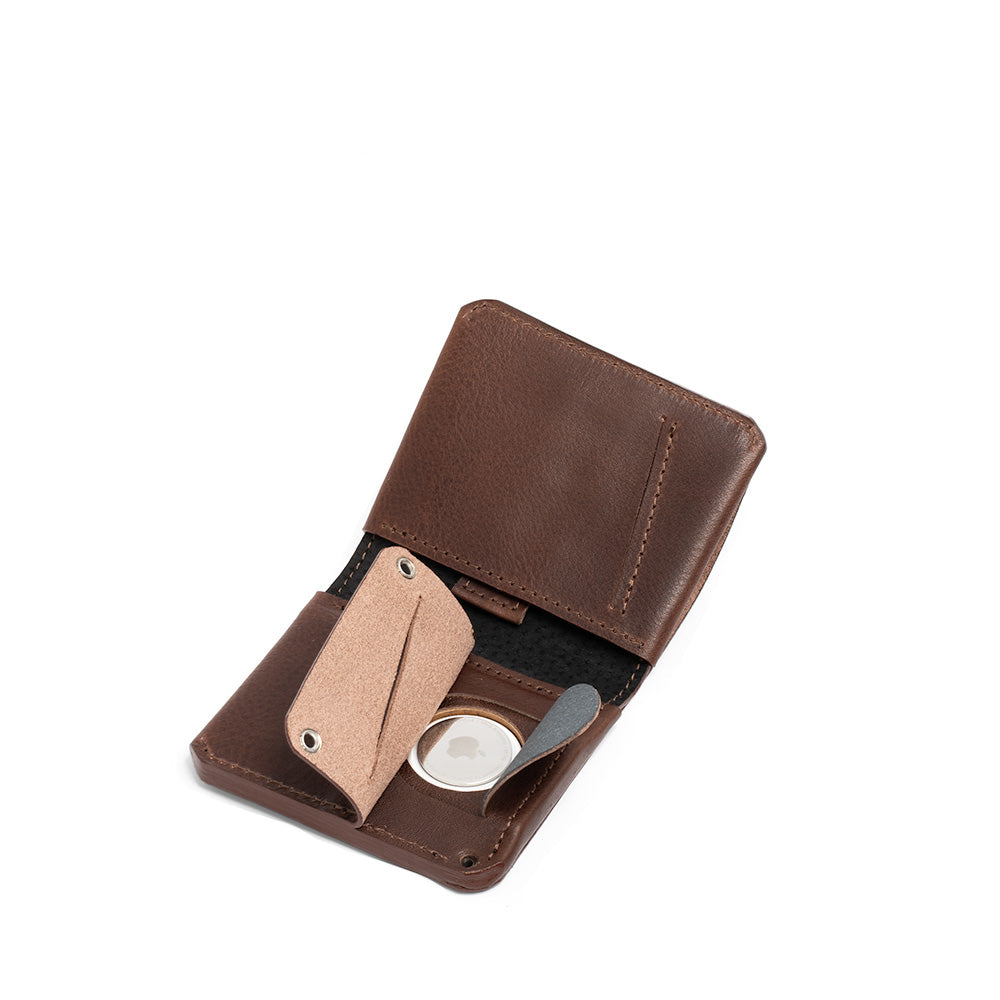
AirTag ist ein runder, münzähnlicher Tracker mit einem Durchmesser von 31,9 mm und einer Dicke von 8,0 mm. Er hat kein integriertes Schlüsselringloch, daher benötigen Schlüssel normalerweise einen Zubehörhalter. In einer schlanken Geldbörse kann diese 8 mm Dicke eine spürbare lokale Erhebung verursachen, es sei denn, die Geldbörse ist mit einer speziellen AirTag-Tasche ausgestattet.
Kompatibilitäts-Hinweis für Geldbörsen: Wenn Sie AirTag für den täglichen Gebrauch wählen, funktioniert er am besten in einer speziell dafür entworfenen Geldbörse, wie der Leather AirTag Wallet 2.1 oder der Leather AirTag Card Wallet Minimalist 5.0.
Tile-Formen (zweckgebundene Formfaktoren)
- Tile Pro (2024): integriertes Schlüsselringloch, 150 m Reichweite, 110 dB Klingelton, 1 Jahr austauschbare Batterie, IP68.
- Tile Mate (2024): integriertes Schlüsselringloch, 107 m Reichweite, 100 dB Klingelton, 3 Jahre nicht austauschbare Batterie, IP68.
- Tile Slim (2024): im Format einer Geldbörse-Karte, 2,5 mm dick, 107 m Reichweite, 104 dB Klingelton, 3 Jahre nicht austauschbare Batterie, IP68.
- Tile Sticker (2024): klebender Puck-Tracker, 75 m Reichweite, 100 dB Klingelton, 3 Jahre nicht austauschbare Batterie, IP68.
Akkulaufzeit & Energieversorgung
- AirTag: vom Nutzer austauschbare CR2032-Knopfzelle; für den Batteriewechsel konzipiert, nicht für den Austausch des gesamten Geräts.
- Tile Pro (2024): 1 Jahr austauschbare Batterie.
- Tile Mate / Slim / Sticker (2024): 3 Jahre nicht austauschbare Batterien, daher wird der Tracker am Ende der Lebensdauer ersetzt.
Praktischer Tipp: Wenn Sie stark auf Klingeln und häufige Pings angewiesen sind, kann die tatsächliche Akkulaufzeit variieren. Modelle mit versiegeltem Akku sind kurzfristig praktisch, bedeuten aber auch, dass der Tracker später ersetzt werden muss, anstatt nur die Batterie zu tauschen.
Netzwerk & Reichweite (in der Nähe vs. weit entfernt)
In der Nähe: Die Bluetooth-Reichweite ist hauptsächlich wichtig, um eine Verbindung zum Tracker herzustellen, ihn klingeln zu lassen und einen kürzlich gesehenen Standort zu aktualisieren. Die offizielle Modellreichweite von Tile variiert je nach Produkt und liegt unter idealen Bedingungen zwischen 75 m und 150 m.
Weit entfernt: Sobald der Tracker außerhalb der direkten Bluetooth-Reichweite ist, sind Netzwerkskalierung und -dichte wichtiger als die reine Bluetooth-Distanz.
Apple Find My: Apple beschreibt Find My als ein crowdsourced Netzwerk von über einer Milliarde Apple-Geräte. Apple sagt auch, dass der gesamte Prozess Ende-zu-Ende verschlüsselt und anonym ist, sodass weder Apple noch Zubehörhersteller den Standort Ihres Gegenstands einsehen können.
Tile / Life360: Tile setzt auf das Tile- und Life360-Ökosystem für crowdsourced Suche. Life360 meldete 95,8 Millionen monatlich aktive Nutzer im vierten Quartal 2025.
Zusatzfunktionen & Abonnements
AirTag-Funktionen
- Precision Finding auf unterstützten iPhones
- Eingebauter Lautsprecher für Ton abspielen
- Verloren-Modus mit NFC-Tipp für Kontaktdaten
- Kein Abonnement erforderlich
Tile-Funktionen (was Sie kostenlos tun können)
Life360 sagt, dass Sie Tile ohne Abonnement für Kern-Funktionen zur Suche verwenden können, einschließlich:
- Lass deinen Tile klingeln, wenn er in Reichweite ist
- Anzeige des zuletzt bekannten Standorts auf einer Karte
- Benachrichtigung bei Fund über das Tile-Netzwerk
- Tile Detector für Nahbereichssuche, wenn der Tracker verbunden und in Bluetooth-Reichweite ist
- Finde dein Telefon durch Drücken der Tile-Taste
- Teilen eines Tiles mit einer weiteren Person
- Bei 2024 Tile-Modellen eine SOS-Alarmoption über die Life360-App
Tile Premium (was bezahlte Pläne hinzufügen)
- Intelligente Benachrichtigungen für zurückgelassene Gegenstände
- Unbegrenztes Teilen
- 30 Tage Standortverlauf
- Sorgenfreie Garantie und damit verbundene Supportvorteile
Anti-Diebstahl-Modus (wichtiger Unterschied)
Tile bietet auch den Anti-Diebstahl-Modus an, der einen Tile vor Scan und Sicherung verbirgt. Life360 präsentiert dies als Diebstahl-Wiederherstellungsfunktion für Wertgegenstände, aber es bedeutet auch, dass der Tracker für scanbasierte Erkennungstools weniger sichtbar ist. Aufgrund dieses Kompromisses lohnt es sich, die neuesten Sicherheits- und Datenschutzrichtlinien vor der Aktivierung zu lesen.
Anwendungsfälle: Schlüssel, Geldbörsen, Gepäck, Haustiere
- Schlüssel: Tile Pro und Tile Mate sind besonders praktisch, da sie eingebaute Schlüsselringlöcher haben. AirTag funktioniert ebenfalls gut für Schlüssel, benötigt aber normalerweise einen separaten Halter oder Schlüsselring-Zubehör.
- Geldbörsen: Tile Slim ist mit 2,5 mm Dicke speziell für diesen Zweck entwickelt. AirTag kann die bessere Wahl sein, wenn die schnelle Wiederfindung in der Nähe am wichtigsten ist, funktioniert aber am besten in einer speziell für seine runde Form von 8 mm entworfenen Geldbörse.
- Gepäck: Beide Systeme funktionieren gut für Taschen und Gepäck, aber die Netzwerkdichte ist wichtiger als die reine Bluetooth-Reichweite, sobald sich der Gegenstand weiter entfernt befindet. AirTag hat einen zusätzlichen Vorteil, wenn Sie sich wieder in der Nähe des Gepäcks befinden, da Precision Finding am Flughafen, im Auto oder zu Hause helfen kann.
- Haustiere und Kinder: Weder AirTag noch Tile sind für kontinuierliches Echtzeit-GPS-Tracking ausgelegt. Wenn Sie Live-Standortverfolgung zur Sicherheit brauchen, verwenden Sie stattdessen einen dedizierten GPS-Tracker.
Mythen & Missverständnisse
- „Tile hat GPS.“ Nein. Life360 sagt, Tile nutzt Bluetooth und bietet kein GPS oder Echtzeit-Standorttracking.
- „AirTag funktioniert mit Android.“ Nicht im vollen Einrichtungs- und Tracking-Sinn. Android kann einige AirTag-bezogene Sicherheitsfunktionen erkennen, aber AirTag-Einrichtung und tägliches Tracking basieren auf Apples Find My-Ökosystem.
- „Für Tile braucht man ein kostenpflichtiges Abo.“ Nein. Life360 sagt, die Kernfunktionen von Tile zum Finden sind kostenlos. Kostenpflichtige Pläne fügen Extras wie Smart Alerts, unbegrenztes Teilen und 30 Tage Standortverlauf hinzu.
- „UWB ist egal.“ Es kann sehr wichtig sein, wenn Sie Dinge oft in der Nähe verlieren. AirTags Precision Finding auf unterstützten iPhones fügt Richtung und Entfernung zur üblichen tonbasierten Suche hinzu, was drinnen echte Zeit sparen kann. Wenn Sie hauptsächlich einen dünneren, geldbörsenfreundlichen Tracker wollen und mit App-Standort plus Klingeln zufrieden sind, sind Slim-Tracker im Alltag oft die bessere Wahl.
Wie Sie Ihren Tracker auswählen (Checkliste)
-
Schritt 1: Wählen Sie Ihr Telefon-Ökosystem.
- Nur iPhone-Haushalt: AirTag ist meist die stärkere Standardlösung.
- Gemischter iPhone- und Android-Haushalt: Tile ist meist das einfachere gemeinsame System.
-
Schritt 2: Denken Sie darüber nach, wie Sie Dinge normalerweise verlieren.
- Verloren in der Nähe – zu Hause, im Auto oder im Büro – hat AirTag den Vorteil, da Precision Finding plus Ton bei Nahbereichssuchen meist schneller ist.
- Verloren weiter entfernt: Netzabdeckung und plattformübergreifendes Teilen sind wichtiger, was Tile für Haushalte mit gemischten Geräten besser geeignet machen kann.
-
Schritt 3: Passen Sie den Tracker zum Gegenstand an.
- Geldbörse: Tile Slim ist die natürliche Wahl, oder verwenden Sie eine AirTag-Geldbörse mit einem speziellen AirTag-Fach.
- Schlüssel: Tile Pro oder Tile Mate funktionieren direkt gut, während AirTag normalerweise eine Halterung benötigt.
- Fernbedienungen, Fahrräder und kleine Ausrüstung: Tile Sticker ist speziell für diese Art der Nutzung entwickelt.
-
Schritt 4: Wählen Sie Ihren Batterietyp.
- Wechselbare Batterie: AirTag oder Tile Pro.
- Langlebige versiegelte Batterie: Tile Mate, Tile Slim und Tile Sticker sind auf jahrelange Nutzung ausgelegt, aber der Tracker selbst wird am Ende der Lebensdauer ersetzt.
-
Schritt 5: Entscheiden Sie, welche Extras für Sie wirklich wichtig sind.
- Wollen Sie „Find Your Phone“ und bei den 2024er Tile-Modellen optional eine SOS-Funktion: Tile.
- Wollen Sie eine Ultra Wideband-basierte Richtungs- und Entfernungsführung: AirTag.
Kompromisse & Nachteile
Die Hauptnachteile von AirTag sind die Bindung an das Ökosystem und das physische Tragen. Es funktioniert am besten für Apple-Nutzer, ist aber Apple-exklusiv, hat kein integriertes Schlüsselringloch und kann eine spürbare Wölbung in der Geldbörse verursachen, wenn kein spezielles AirTag-Fach verwendet wird. Die Hauptkompromisse von Tile sind andere: Es bietet keine Ultra-Wideband-basierte Richtungsführung, und mehrere Modelle verwenden versiegelte Batterien, was bedeutet, dass der Tracker ersetzt werden muss, anstatt nur die Batterie zu tauschen. Die kostenpflichtigen Funktionen von Tile können nützlich sein, sind aber optional, und der Anti-Diebstahl-Modus ist eine komplexere Wahl, die zusätzliche Recherche verdient, wenn Sicherheitsscans für Sie wichtig sind.
Häufig gestellte Fragen
Kann ich Tile ohne Bezahlung nutzen? Ja. Life360 dokumentiert, dass Kernfunktionen (Klingeln, letzter Standort, Benachrichtigung bei Fund, Tile Detector, Telefon finden, Basisfreigabe, SOS bei 2024-Modellen) ohne Abonnement funktionieren.
Welcher Tile ist am besten für eine Geldbörse? Tile Slim (2024) ist kartenförmig und 2,5 mm dick, speziell für Geldbörsen und Passhalter entwickelt.
Welcher Tile hat die größte Reichweite? Tile Pro (2024) wird mit bis zu 150 m Reichweite angegeben.
Benötigt AirTag ein Abonnement? Nein. Sie tauschen die Batterie bei Bedarf aus; der Zugriff auf „Wo ist?“ erfordert keinen kostenpflichtigen Plan.
Sind diese Tracker gut für Haustiere? Sie sind keine Echtzeit-GPS-Tracker. Für sicherheitskritisches Tracking verwenden Sie ein spezielles GPS-Gerät.
Was ist besser für iPhone-Nutzer? Wenn Sie vollständig im Apple-Ökosystem sind und oft Gegenstände in der Nähe verlieren, ist AirTag meist die bessere Wahl, da die Präzisionssuche schneller sein kann als nur auf den Ton zu vertrauen.
AirTag-Geldbörsenoptionen
Wenn Sie AirTag für die Präzisionssuche verwenden, macht es Sinn, eine Trage-Lösung zu wählen, die auf seine 8 mm runde Form ausgelegt ist:


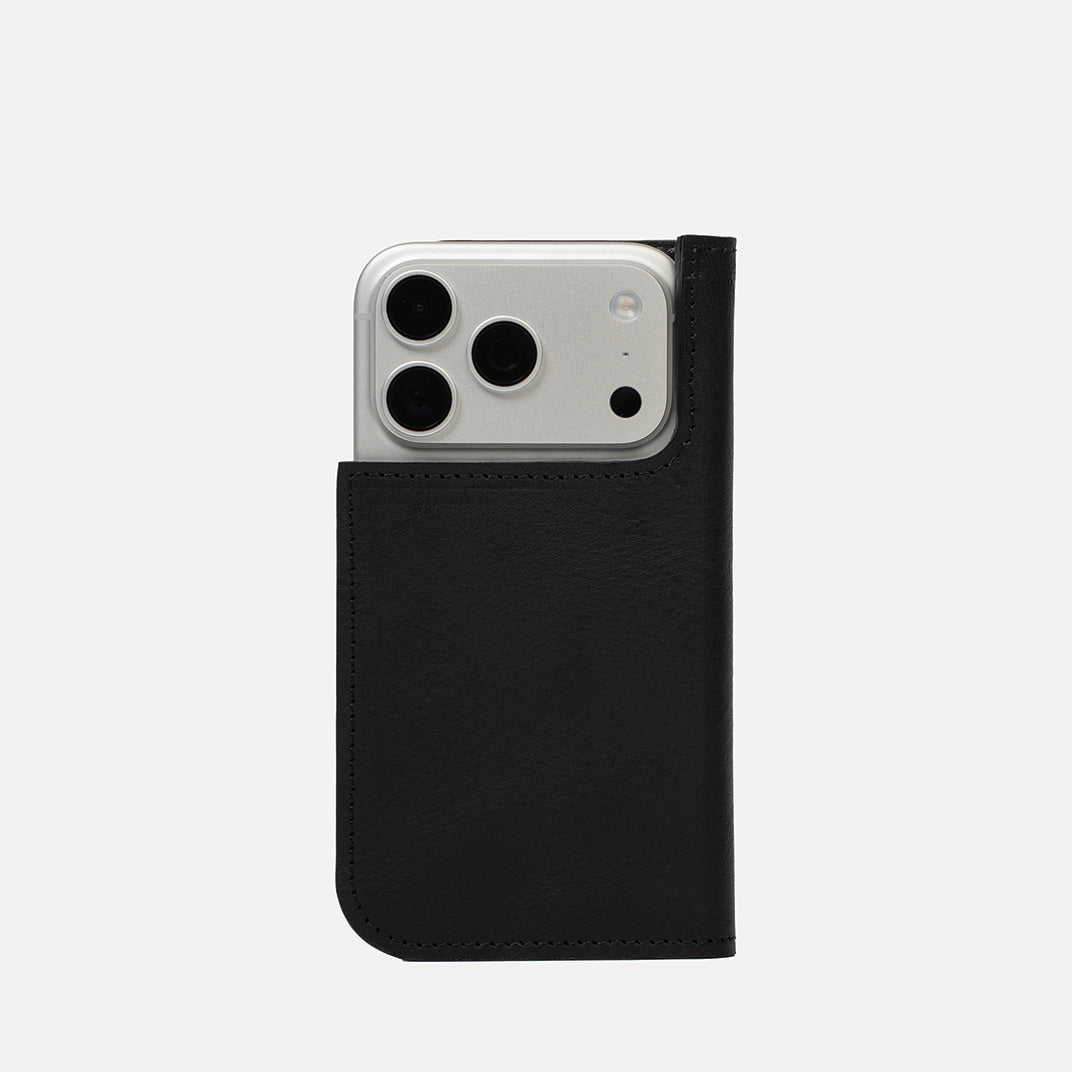
Für das Reisen sind diese Optionen so gestaltet, dass sie den AirTag natürlicher in Pass- und Dokumenten-Setups integrieren:


Diese Produkte beeinträchtigen die Tracking-Leistung des AirTag nicht. Sie sind Trage-Lösungen, die den Tracker sauberer integrieren und die tägliche Nutzung praktischer machen.