AirTag location history. Can I see where AirTag has been?
Can You See AirTag Location History? What Find My Shows Instead
Bottom line: Not in the way most people mean it. AirTag can show its current location or last known location in the Find My app, but Apple does not offer a normal built-in journey log showing everywhere your AirTag has been over time.
Can you see AirTag location history?
Not as a full route history or travel timeline.
In Find My, Apple shows an AirTag’s current location if it can be located, and if it cannot be located, you see where and when it was last located. That is useful, but it is not the same thing as a stored location history that lets you scroll through every stop on a trip.
Apple now states this even more clearly than before: AirTag does not physically store location data or history on the device itself. That privacy choice is part of why AirTag is less useful as a silent long-term tracking tool than people sometimes assume.
What Find My shows instead of a travel history
If the item can be located, it appears on the map in Find My and you will see its location and timestamp under the item’s name. If it cannot be located, Find My shows the last place and time it was seen and lets you turn on Notify When Found.
So the practical answer is this: AirTag gives you current location or last known location, not a normal user-facing map of where the item has been throughout the day.

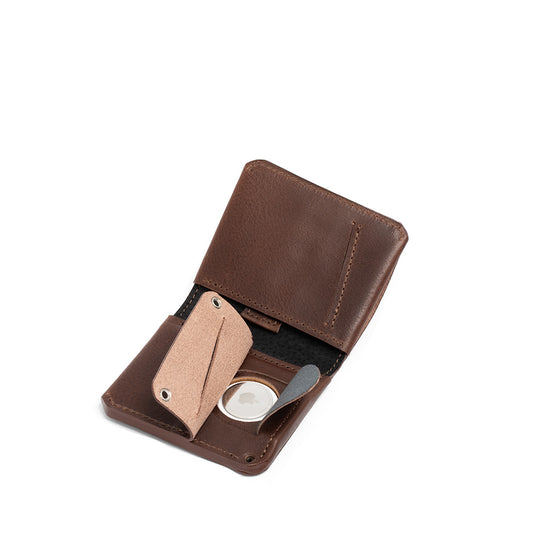
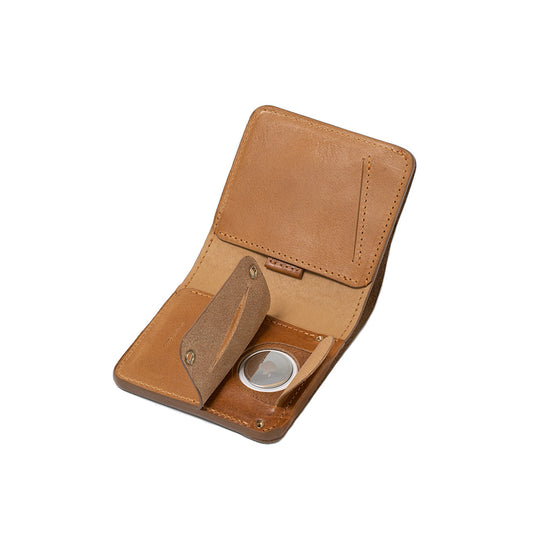
Our AirTag Wallets are designed to make your experience stress-free thanks to a secret AirTag pocket.
How often does an AirTag update its location?
There is no fixed public Apple schedule like “every minute” or “every two minutes.” Apple’s current guidance is simpler: an item’s location is updated when it connects to the Find My network.
That means update frequency depends on real-world conditions. If the AirTag is in a place where it is being detected again, you may get fresh location information more often. If it is somewhere remote, or simply not being detected, you may only see the last known location for a while.
This is also why AirTag can feel very different from a live GPS tracker with its own cellular connection. It is designed around the Find My network, not around a continuous location stream.
Why Apple limits AirTag history and tracking detail
Privacy is a big part of the answer. Apple says AirTag does not physically store location data or history on device, and the Find My network is designed with end-to-end encryption. Apple also includes anti-stalking protections and alerts for unknown AirTags traveling with you.
In other words, the limited history view is not just a missing feature. It is closely tied to how Apple wants AirTag to work and how it wants misuse to be harder.
Can you build your own AirTag history dashboard?
Not through a standard Apple feature. However, some developers have experimented with their own custom pipelines and dashboards.
For example, the older post referenced Daniel Palma’s guidelines for building a personal AirTag tracking dashboard. That can be interesting if you are technically comfortable, but it should be understood as a third-party developer project, not as built-in Apple functionality.
How to stop sharing an AirTag
This part of the old article needed the biggest update, because there are now several different things people may mean by “stop sharing.”
Stop sharing an AirTag with another person
If you are the AirTag owner and you shared it with someone in Find My, you can stop sharing directly from the item’s sharing screen in Find My. That is different from disabling Find My on your iPhone.
Stop sharing a lost item’s temporary location link
If you used Apple’s temporary Share Item Location feature for a lost item, that sharing ends when you reunite with the AirTag, after 7 days, or when you stop it manually in Find My.
Remove an AirTag from your Apple Account
If you no longer want the AirTag associated with your Apple Account at all, you can remove the item from Find My. This is the right step if you are giving the AirTag to someone else or unregistering it from your account.

Important note: Turning off Find My or Find My network in your iPhone, iPad, or Mac settings is an account/device-level action. It is not the same thing as stopping AirTag sharing with another person inside Find My.
Bottom line
If you are asking whether AirTag shows a normal location history, the answer is no. Apple gives you a current location when available, or a last known location and timestamp when it is not.
If you are asking how often AirTag updates, there is no fixed official interval. Updates happen when the AirTag connects to the Find My network.
And if you are asking how to stop sharing, the modern answer depends on what you want to stop: item sharing with another person, a temporary lost-item location link, or the AirTag’s association with your Apple Account.
Quick links
Comprehensive AirTag F.A.Q.
AirTag Wallet: A Comprehensive Guide
What To Do If You Lost Your Wallet
How AirTag Lost Mode works
How to Share AirTag with My Family?
AirTag Wallets & Accessories